Introduction to Criminal Record Checks
Depending on the job role your applicant will be performing, you may need to acquire a Criminal Record (DBS) check for them before they can begin their employment. A Criminal Record (DBS) check provides you with an overview of the applicant's criminal record in the UK.
Depending on the level of Criminal Record (DBS) check obtained, you will receive information regarding the applicant's unspent convictions, cautions, warnings, or relevant non-conviction information.
This check involves sending the applicant's data to our Criminal Record (DBS) check provider, CBS, who then work with the Home Office and other relevant organisations to obtain the Criminal Record (DBS) check for your applicant.
The difference between the types of Criminal Record checks
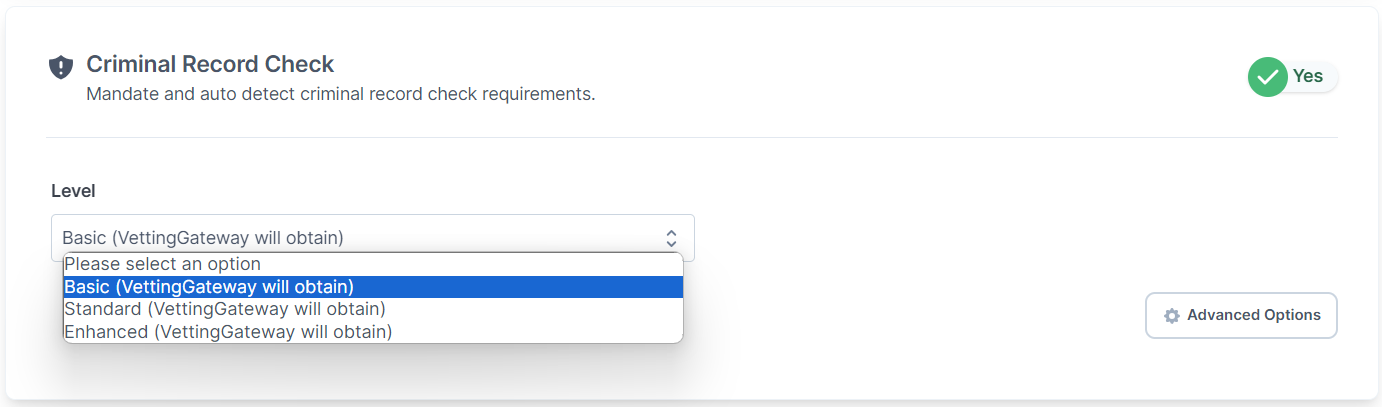
VettingGateway supports three main types of Criminal Record (DBS) checks:
Basic
- This is a non-specific check that is available to anyone who requires certification. Basically, it is available to anyone for any purpose. It is commonly used for personal licence holders, couriers or similar.
Standard
- This level of disclosure is subject to eligibility in accordance to legislative criteria. This more in-depth check is often required for careers such as accountants or solicitors.
Enhanced
- This detailed check is also subject to eligibility in accordance to legislative criteria. Individuals who wish to work with vulnerable people will require this disclosure.
| Information included | Basic | Standard | Enhanced |
|---|---|---|---|
| Unspent criminal convictions | ✔️ | ✔️ | ✔️ |
| Spent criminal convictions | ✖️ | ✔️ | ✔️ |
| Inclusion on the Children's Barred list | ✖️ | ✖️ | ✔️ |
| Inclusion on the Adults' Barred list | ✖️ | ✖️ | ✔️ |
| Inclusion on List 99 | ✖️ | ✖️ | ✔️ |
| Other relevant information held by local police forces | ✖️ | ✖️ | ✔️ |
Requesting a Criminal Record check
Note
The applicant will need to consent to having the Criminal Record check performed before it can be requested.
Once you have requested a Criminal Record (DBS) check for an applicant, they will see a new Criminal Record Checks section in their applicant portal when they log in to VettingGateway.
There are two ways that you can request a Criminal Record (DBS) check for your applicant:
Default Bundle
- You can request a single Criminal Record (DBS) check for an applicant by going to New Check in the top right, and selecting Use a Bundle. From the Choose Bundle dropdown, select Criminal Record check, and then select which type of Criminal Record check you would like to perform. You can then continue the process as you would normally.
Custom Bundle
- A Criminal Record (DBS) check can be added to any Custom Bundle just as you would add any other additional check. You can then start a New Check and use that Custom Bundle as required.
Note
If you would like to request Standard and/or Enhanced Criminal Record (DBS) checks, you must complete your organisation's DBS Registration before you will be able to request them via your applicant's vetting profile.
DBS Certificate Delivery
When completing their profile, the applicant is asked to choose whether the physical DBS certificate should be posted directly to them or to your organisation. Regardless of which option is chosen, your organisation always receives a digital result through VettingGateway indicating whether the certificate is clear or contains disclosed information.
How the Delivery Address Is Set
If the applicant chooses to receive the certificate themselves, it is posted to their current address as entered in their profile at the time the check is submitted — the applicant should confirm this address is correct before the check is initiated. If they choose for it to be sent to your organisation instead, it is posted to your organisation's address.
VettingGateway cannot amend the delivery address once a DBS application has been submitted to the DBS. If the applicant's address changes after submission, they should contact the DBS directly using the E Number shown in the Auto-Retrieval section of their profile.
Awaiting Certificate Status
Once the DBS check has been processed and the physical certificate has been posted, the check's status will change to Awaiting Certificate. This happens even though the digital result — indicating whether the certificate is clear or contains disclosed information — is already available in VettingGateway.
VettingGateway will also generate a new task, notifying you that the physical certificate will need to be reviewed once it arrives.
If Your Organisation Requires Sight of the Certificate
If the applicant has chosen to have the certificate posted to themselves but your organisation still requires sight of it, the applicant must present it to you directly. You may wish to include a reminder in your pre-vetting communications asking applicants to either select your organisation as the delivery destination, or bring their certificate to you once it arrives.
DBS Processing Times
Processing times vary by check level:
- Basic DBS — typically returned digitally within a few hours to 1–2 business days.
- Standard and Enhanced DBS — typically returned digitally within a few hours to 2 business days. The physical certificate is posted to the applicant and usually arrives within 6–7 days.
If a check is taking longer than expected
Use the applicant's E Number (shown in the Auto-Retrieval section of their profile) to check the current status on the DBS tracking website. If the check has been in Processing status for more than 5 business days with no update on the DBS website, contact support with the applicant's name, E Number, and the date the check was requested.
DBS Submission - Name Formatting
The DBS system has specific requirements for name fields. If a validation error appears when saving DBS details, check the applicant's name for the following.
Apostrophes (e.g. O'Brien, D'Silva)
The DBS system accepts apostrophes in name fields. Ensure the apostrophe is entered as a standard straight apostrophe ( ' ) and not as a curly or smart apostrophe ( ' or ' ), which may cause a validation error. Curly apostrophes can be introduced when copying and pasting from Word documents or certain email clients.
Hyphens in double-barrelled names (e.g. Smith-Jones)
Hyphens are accepted in name fields. Enter the name exactly as it appears on the applicant's identity document.
Accented characters (e.g. José, Renée)
Where a name contains accented characters, enter the name as it appears on the applicant's identity document. If the DBS submission returns a validation error, try removing the accent and resubmitting. Note any discrepancy between the submitted name and the document in the activity log.
Important: The name submitted to the DBS must match the name on the identity document submitted for verification. Do not simplify or alter a name to resolve a character error without first confirming with the applicant and noting the reason in the activity log.