Logging In
Logging in using your credentials
There are two ways for you to login to your VettingGateway account:
- You can use your email address, password and Two-Factor Authentication code.
- You can use your organisations Single Sign-on functionality.
If you have access to more than one VettingGateway profile (for example, your organisation profile where you handle applicant's vetting, and your own vetting profile), you will then be presented with a list of available instances that you can login to:
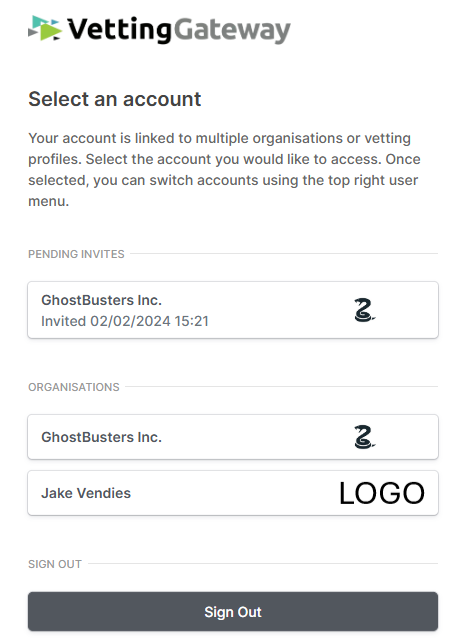
If you only have access to one profile, then you will go straight through to your dashboard (if you are an organisation user), or your vetting profile (if you are an applicant/completing an application).
Account locked after failed login attempts
Accounts are temporarily locked after a number of failed login attempts as a security measure. The lock lifts automatically after a short period. If you need immediate access, use the Forgotten Password? link on the login page — resetting your password also unlocks the account.
Forgotten credentials
If you're having trouble accessing your account, you can request a reset of your credentials. On the VettingGateway login page, click Forgotten Password? and enter the email address associated with your account and a verification code will then be sent to you.
If you need to reset your two-factor authenticator code, enter your username and password and you will be taken to the two-factor authenticator screen. Click Send reset link and an email will be sent to you.
Note
For a comprehensive guide on two-factor authenticator, please click here